One online environment for your submissions
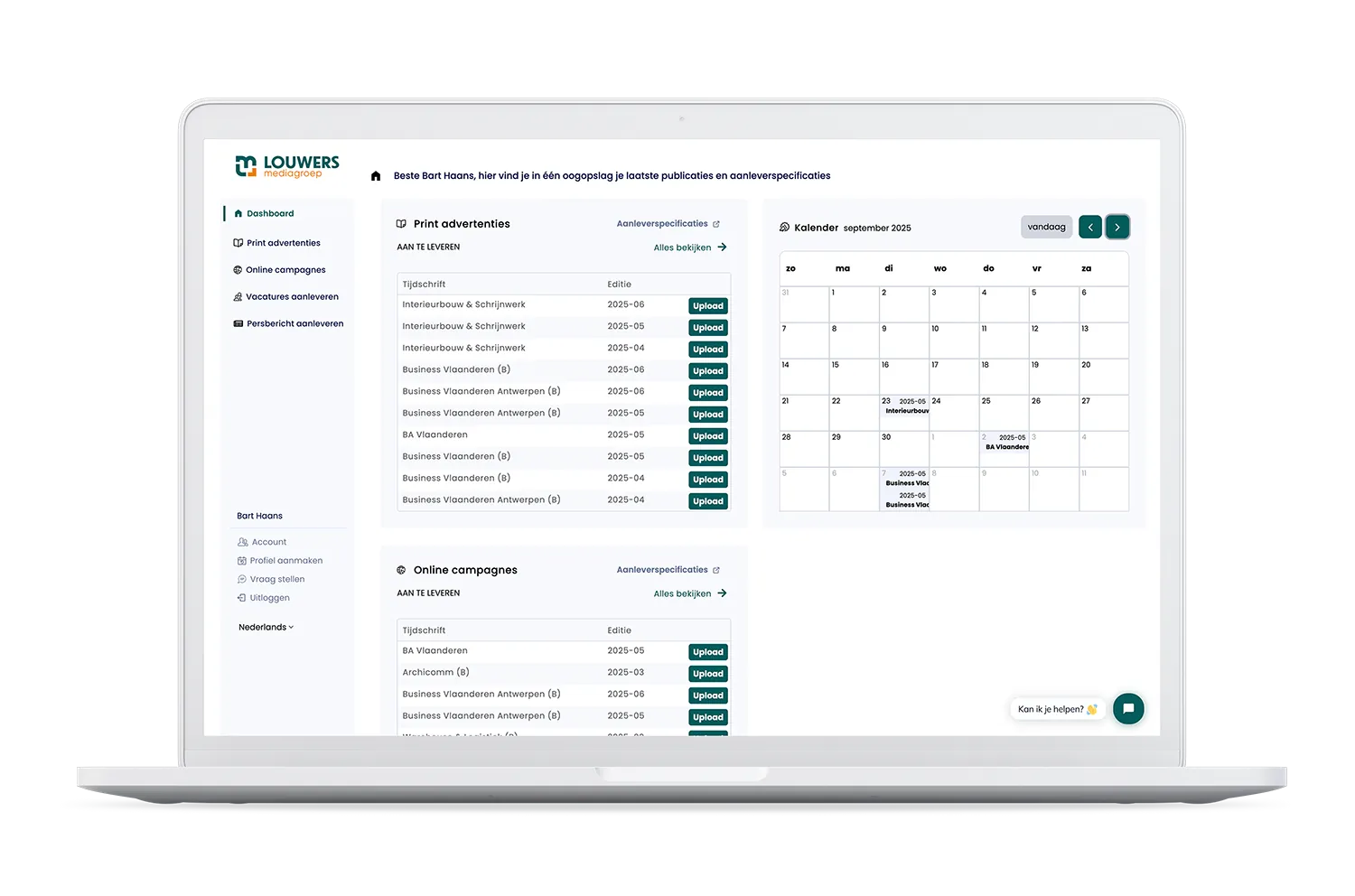
In the client portal, you submit your files and track the status of your assignments. It is designed to make submissions faster and more organised.

What can you do in the client portal?
- Upload files. You place your online banners and print work directly in the portal, according to the correct specifications. This prevents technical errors and material needing to be resubmitted.
- View deadlines. The portal shows when your material must be with us, so you can adjust your planning accordingly.
How it works
How does it work?
The client portal is available to clients of Louwers Mediagroep. Here is how you gain access.
- 1Step 1
Request a login link
If you are a customer, you can request a personal login link via the sign-up page.
- 2Step 2
Receive your login details
Once your request has been processed, you will receive the login details.
- 3Step 3
Log in and get started
After logging in, you can get started right away. For help, please contact us.
Help with the client portal
We answer questions about registration, logging in and submitting your material.